
 See a server actively using custom bots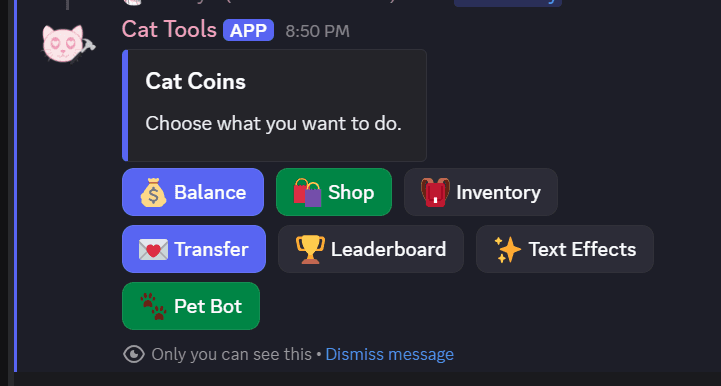
Economy menu
Real bot work
These images show real Discord controls, dashboards, role tools, social systems, economy menus, alerts, and member flows from custom bot work.
See a server actively using custom botsEconomy menu
Mystery match
Relationship tools
Finished examples
These are real examples of Discord-facing controls, dashboards, role tools, and member flows from custom bot work. Private names, IDs, avatars, and server details are hidden or replaced before publishing.
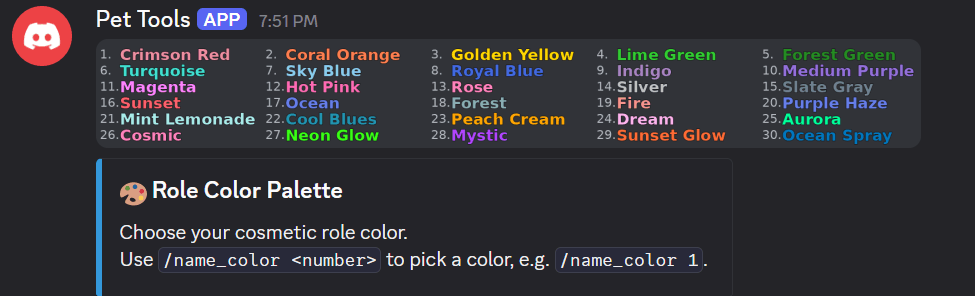
A member-facing role color menu with command guidance and a branded embed.
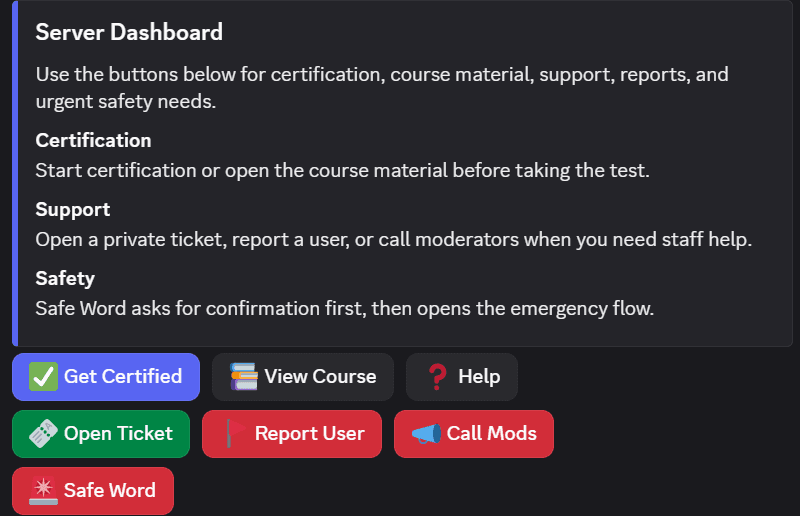
A central panel for certification, tickets, reports, staff help, and time-sensitive safety actions.
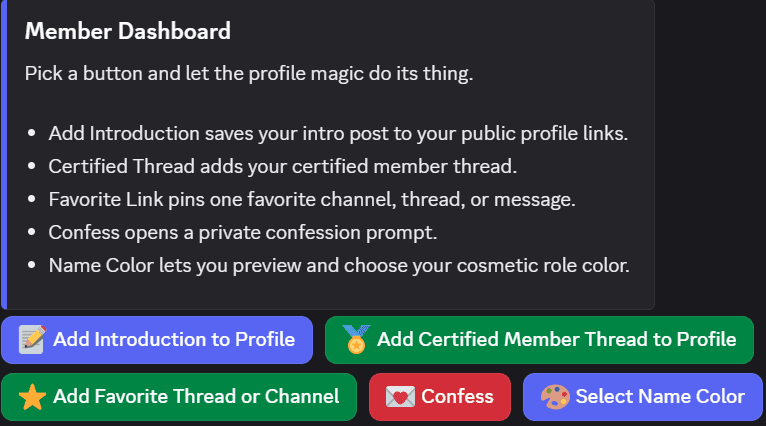
Profile links, certified member posts, favorite channels, confessions, and cosmetic role tools.
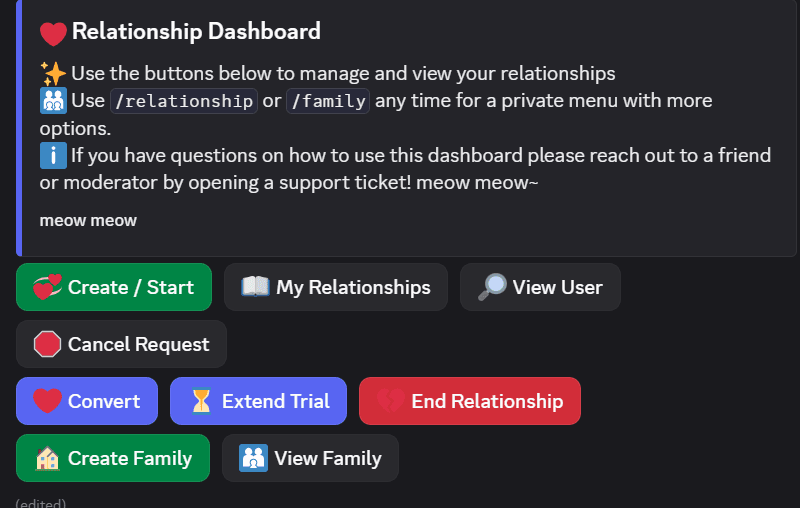
A custom relationship system with buttons for requests, families, trials, conversions, and user views.
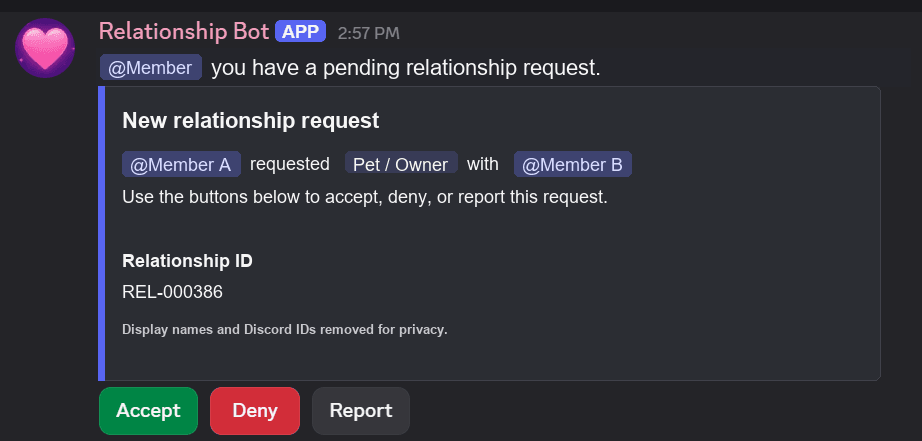
A request card that guides members through accept, deny, and report actions.
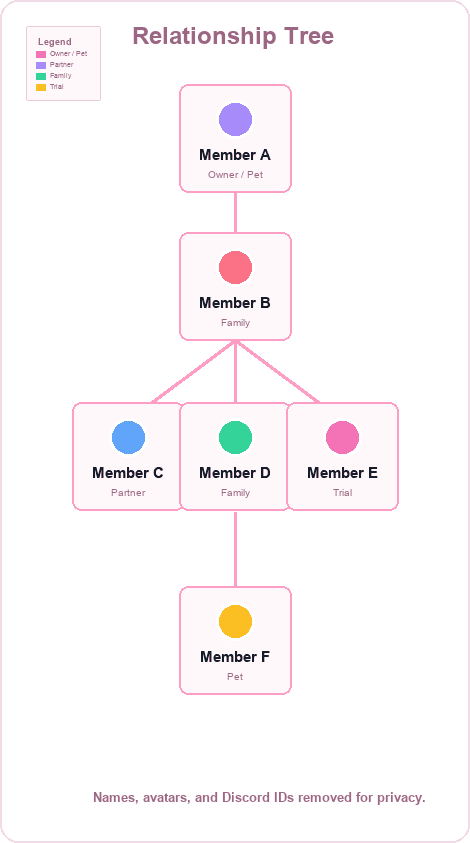
A generated tree view with names, avatars, and Discord IDs replaced for privacy.

A private submission flow with rules, staff review expectations, and a button-based form launch.
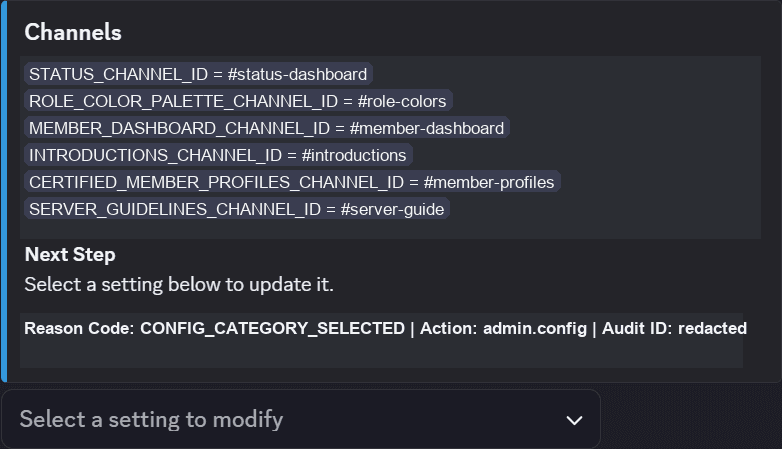
A staff-only configuration view with channel IDs replaced by readable placeholders.
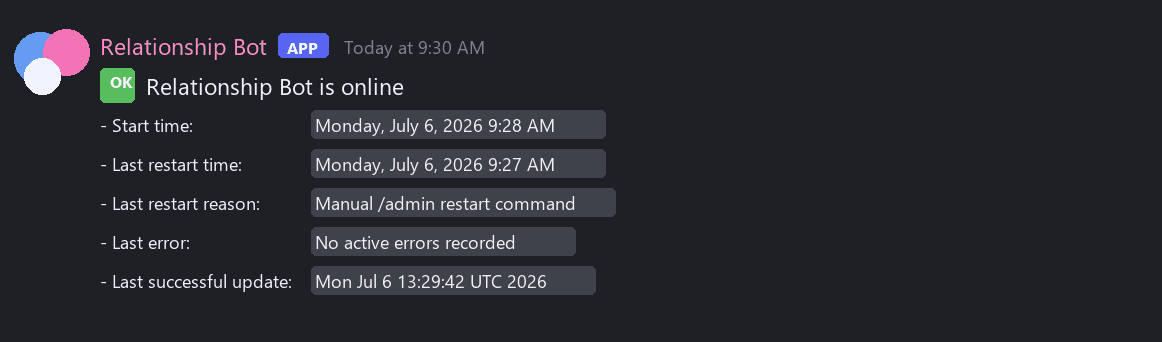
A staff-channel status post showing online state, restart timing, restart reason, last error, and latest update.
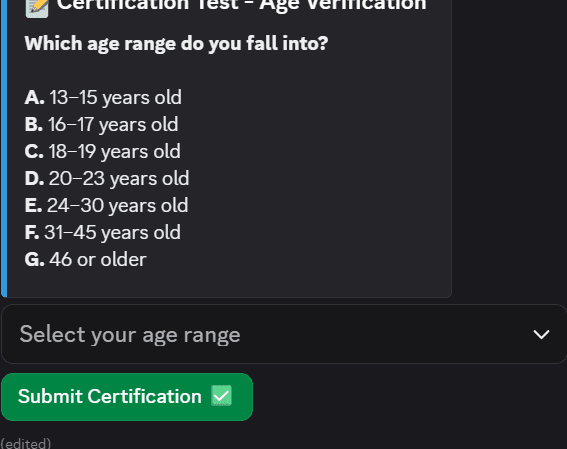
A guided verification step with a select menu and submission button.
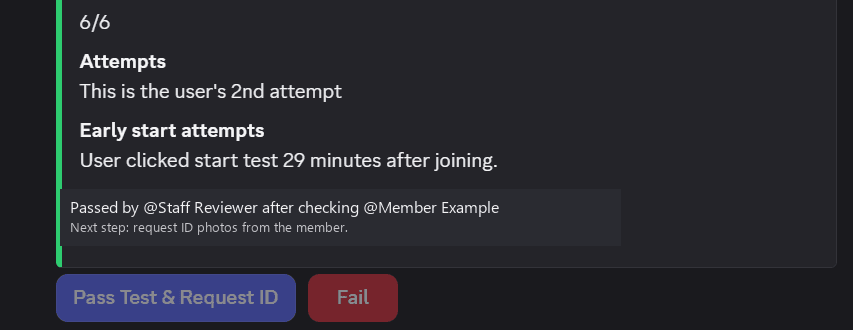
A staff-facing result card showing score, attempt count, timing, and pass/fail actions.
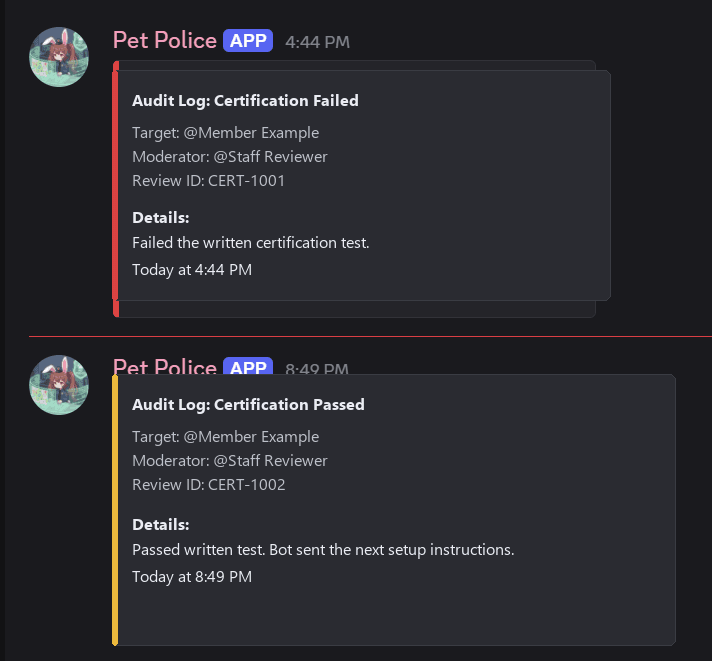
Private staff logs that record certification pass/fail decisions while hiding member details.
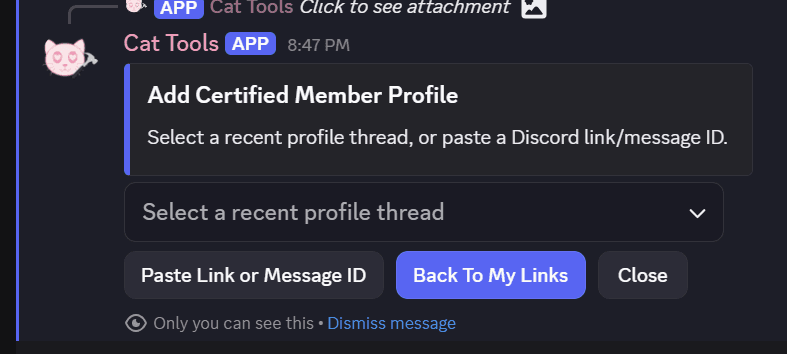
A member self-serve flow for connecting profile threads, links, and profile-related setup.
A custom economy menu with balance, shop, inventory, transfers, leaderboard, text effects, and bot interaction actions.
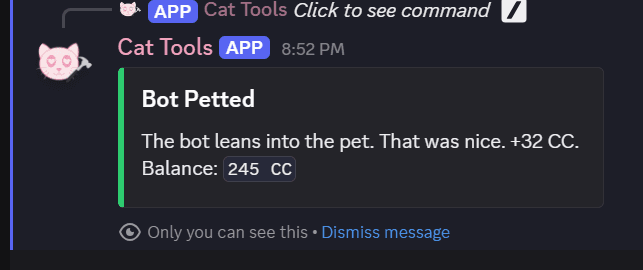
A lightweight interaction command that gives a custom response and small currency reward.
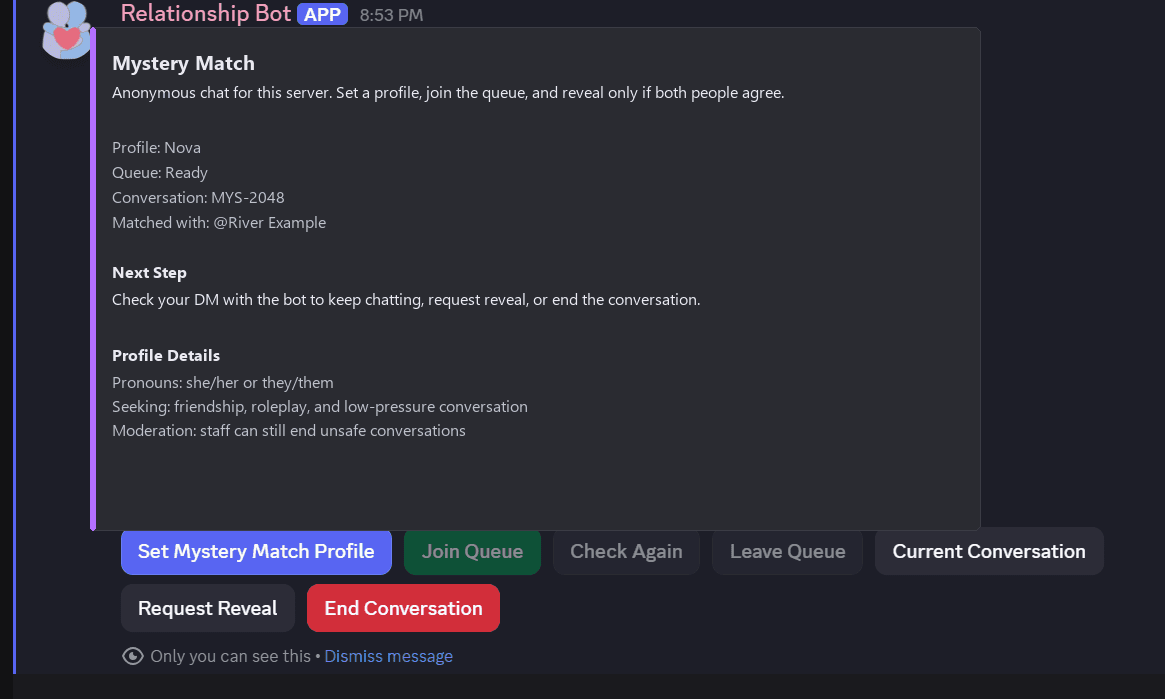
A social queue with profile setup, conversation status, matching controls, and reveal actions.
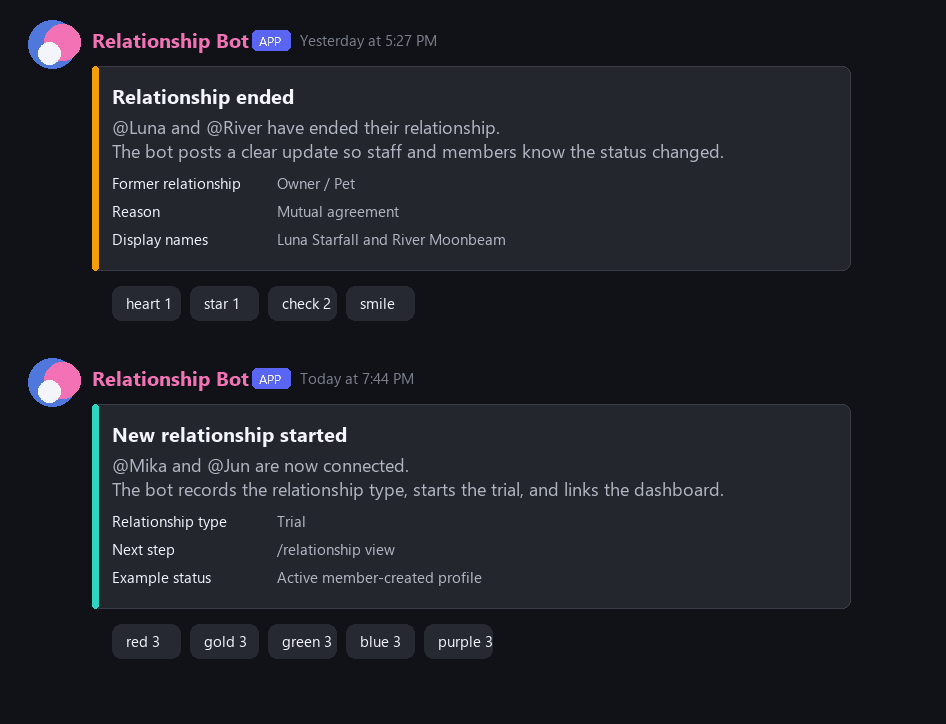
Bot-posted relationship changes with status updates, reactions, and private details removed.
Ways to use it
These ideas are examples of what we can shape around your server. Final features, cost, and timing depend on what you want the bot to do.
Paid or private access feels smooth, reliable, and easy to follow.
Private or paid members need specific access without constant manual staff work.
Handles role checks, private channel access, welcome messages, upgrade prompts, and access cleanup.
Staff spend less time managing access. Members feel like the access flow was designed for them.
The bot becomes part of the server identity instead of another generic utility.
Public bots feel generic and do not match the server's humor, style, or culture.
Adds custom commands, branded embeds, inside-joke responses, milestone messages, and event reminders.
Members get quick server-specific interactions. The bot feels like it knows the community.
Staff work feels calmer, faster, and easier to follow.
Staff are juggling moderation, tickets, notes, and repeated tasks across too many channels.
Creates dashboards, logs actions, tracks tickets, and gives staff custom tools.
Staff can work faster and more consistently. Members see a server that feels well organized.
Owners can see whether the bot is online, when it restarted, and whether updates succeeded.
Private bots need simple operational visibility without asking someone to SSH into the server.
Posts startup time, restart reason, last error, and last successful deployment update in a staff channel.
Staff can tell whether the bot is healthy faster. The server has a private status trail for maintenance and support.
Events become easier to run and easier for members to follow.
The server wants a recurring event, game, challenge, or leaderboard that public bot settings cannot capture.
Tracks points, roles, entries, cooldowns, winners, reminders, and rewards.
Events are easier to run. Members get a reason to come back.
A launch, rebrand, or private group feels planned instead of patched together.
The server wants a polished bot for a launch, event, private group, or rebrand.
Handles announcements, countdowns, custom embeds, reveal messages, roles, and themed commands.
Launch logistics are easier. The launch feels intentional, polished, and ready to share.
Important server events can reach the right people outside Discord when the project needs it.
Staff or owners need opt-in alerts for high-priority events without watching every channel all day.
Can trigger SMS or email alerts from moderation events, ticket status, safety flags, role/access changes, launches, forms, or other server-specific conditions.
Staff can react faster to important events. The alert flow feels custom to the server instead of bolted on.
Members can be tested or reviewed before they receive access.
Staff need to check member answers, age gates, or setup requirements before assigning roles.
Collects submissions, records pass/fail decisions, and leaves a private audit trail for staff.
Staff get a repeatable review process. Members see clear next steps instead of waiting on scattered manual checks.
Members can earn, spend, transfer, and check server currency without staff work.
The server wants a lightweight economy, shop, leaderboard, or reward loop tied to its community style.
Adds menus for balances, shops, inventory, transfers, leaderboards, text effects, and small reward commands.
Members have more reasons to interact. The reward system feels like it belongs to the server instead of a pasted-on points bot.
Member-facing buttons connect profiles, introductions, favorite threads, and cosmetic choices.
Servers with profiles, certification posts, or member links need cleaner self-serve controls.
Lets members add profile links, certification threads, favorite channels, confession entries, and role colors.
Staff spend less time fixing member profile setup. Members get one place to manage the parts of the server that represent them.
A social feature can match members, manage queues, and keep conversations organized.
The server wants a unique activity that creates conversation without revealing too much too soon.
Stores profile details, handles queue status, starts matches, tracks active conversations, and lets users leave or request a reveal.
The activity is easier to moderate and repeat. Members get a feature shaped around this server instead of a standard public bot preset.
Tiny commands can add charm, rewards, or inside jokes without becoming a full game.
Some servers want a bot that responds to member actions in a way that matches the community.
Adds quick actions like petting the bot, small currency rewards, custom responses, and server-specific feedback.
Members get lightweight interactions between bigger events. The bot feels less like a utility and more like part of the server.
We will not build bots for spam, mass-DM abuse, credential theft, token grabbing, malware, unauthorized scraping, platform-rule evasion, or other abusive behavior.
Start a custom bot request and turn the idea into a clear build plan.